Tablet P 3G
31/01/2013 13:25 par slaytane


31/01/2013 13:25 par slaytane
Sony Tablet P SGPT212DE - Tablet - Android 3.2 (Honeycomb) - 4 GB - 13.9 cm ( 5.5" ) TFT ( 1024 x 480 ) + 13.9 cm ( 5.5" ) TFT ( 1024 x 480 ) - Kamera auf Rück- und Vorderseite - microSD-Steckplatz - Wi-Fi, Bluetooth - 3G - Schwarz


31/01/2013 13:07 par slaytane
CPU: ARM Cortex-A9, 2x 1.00GHz (nVIDIA Tegra 2) • RAM: 1GB • Festplatte: 16GB Flash • Grafik: nVIDIA GeForce ULP (IGP) • Display: 9.4", 1280x800, kapazitiv Multi-Touch, LED • Anschlüsse: 1x USB 2.0 (Micro-USB) • Wireless: WLAN 802.11bgn, Bluetooth, UMTS/HSDPA, A-GPS • Card reader: SD • Webcam: 0.3 Megapixel (vorne), 5.0 Megapixel (hinten) • Betriebssystem: Android 3.1 (Android 4.0 Update verfügbar) • Akku: Li-Ionen, 5000mAh • Gewicht: 0.62kg • Abmessungen: 241.2x174.3x10.1mm • Besonderheiten: keine Angabe • Herstellergarantie: 12 Monate

31/01/2013 12:56 par slaytane
The international version of Sony’s Japanese Xperia GX has been suffering a crisis of identity, being known as the LT29i and also by the codename Hayabusa. But it has yet to get an official, consumer-friendly name. A leak from sources at Xperia Blog claims the phone has a name: the Sony Xperia TX. This would fit in with Sony’s new naming convention, which uses single and double letters to designate the relationship between high-end and mid-level phones. So the Xperia TX would clearly be a higher-end Xperia T.
It is said to sport a 4.6-inch HD reality 720p screen, a dual-core Snapdragon S4 Pro CPU, 1GB RAM, Android 4.0 ICS, a whopping 13MP camera with HDR video, a thin 7mm profile, and a nice size battery. This is certainly shaping up to be Sony’s latest flagship model. We’re expecting to see this phone, along with the Xperia T and Xperia Tablet at IFA in Berlin later this month.
Who’s waiting for this one?

28/01/2013 18:02 par slaytane
Alexander Black just sent us an email with a HTC concept that he designed, once again a device that runs Android 4.0 Ice Cream Sandwich. Meet the HTC Pyro, a fire red devil with a 2GHz quad core Snapdragon processor and a 12 megapixel camera at the back.
Its design reminds me of a combo between the Nokia N9 and the HTC Incredible S. HTC Pyro comes with 4.8 inch Super AMOLED display, an 8 megapixel front camera, that will generate some HD video calls and Beats by Dr. Dre headphones. Considering I’ve been hearing so much about HTC quad core phones for 2012, this handset will come from concept phase to real life pretty fast, that’s for sure.
I just hope that HTC will get over the handicap of using so little RAM (768MB), so little internal memory (1GB) and poor cameras. It’s a known fact that HTC doesn’t create the best cameras on smartphones, although I have to admit that the HTC Sensation XE cam was decent. However, they’re still far from the level of Samsung Galaxy S II and Galaxy Note. Megapixels aren’t the solution here…
Dreaming of a quad core ASUS phone with Android 4.1 Jelly Bean on board? That’s exactly what you get today, courtesy of Deviantart member rodrigoDSCT, who admires ASUS and decided to create this concept. We’re talking about a smartphone with rounded edges, that make it look a bit “fat”, so to say. It measures 8mm in thickness and weighs 120 grams.

This ASUS smartphone is supposed to come in black or white and feature a 4.5 inch 720p display with Super AMOLED tech and Gorilla Glass II. Other features include 1.5GB of RAM, 16/32/64GB of storage and a quad core 1.5 GHz Tegra CPU. The handset runs Android 4.1 Jelly Bean and has updates guaranteed for two years, according to the designer. At the back there’s an 8 megapixel camera, the same one from the Sony Xperia Arc and iPhone 4S, while at the front we find a 1.3 megapixel cam.
Other feats include two microphones, a 3.5 mm audio jack and a loud speaker at the back. The rest of the specs are considered similar to the Sony Xperia S and HTC One X. There’s a lot of finesse put into the design of the camera area on this device and its facade looks very much like a HTC to me. What do you think about this ASUS phone concept?
[via Deviantart]
Created by Andre Luis Moreira, the following iOS 7 concept focuses on the way we handle apps in iOS when it comes to multitasking, plus Quick Settings. The video below shows the concept and it was produced using Adobe Photoshop, After Effects and Premiere, so there’s no tweaking of iOS involved.

The main idea behind the enhanced iOS is a series of 3 crucial features. The first is Quick Settings, a pane that will display the most used options of the Settings area. Then there’s the App Flow Multitask, that adds a full screen preview to the app switcher at the bottom of the screen and finally the third element is Dynamic Settings. The latter will offer shortcuts that will allow the user to skip straight to an app’s settings. Quick Settings actually look familiar to people who jailbreak their devices, since there are tweaks that do that.

The Quick Settings in the concept video also integrates the music player controls and a scroll list of toggles. Those can be customized and you can access the Quick Settings page by scrolling to the left in the Switcher tray. The App Flow area may feel familiar to a person who has seen the multitasking cards in webOS. Finally, the Dynamic Settings are activated by scrolling to the left in the Switcher Tray while you’re in an app. From here you can tweak settings of your app.
Fancy such changes in iOS 7?


28/01/2013 17:38 par slaytane
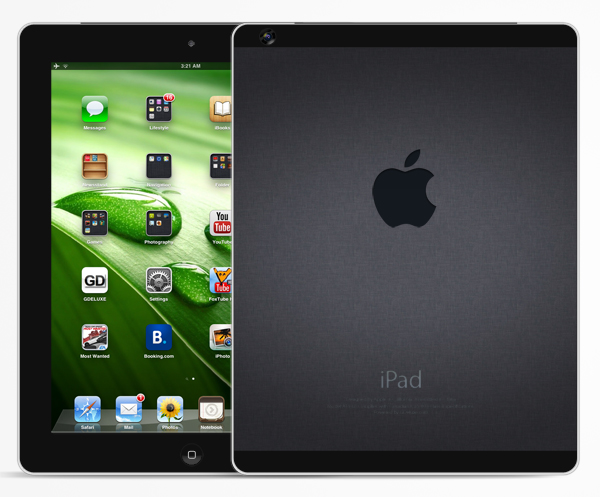
Since the iPhone 6 is already in the rumors, why not discuss the iPad 5 a bit? Japanese blog Macotakara, famous for being close to supply chain sources is saying that the iPad 5 design will borrow from the iPad Mini’s looks. Sources expect the slate to be 4 mm shorter, 2 mm thinner and 17 mm narrower, so we’ll be dealing with thinner side bezels, just like on the iPad Mini.
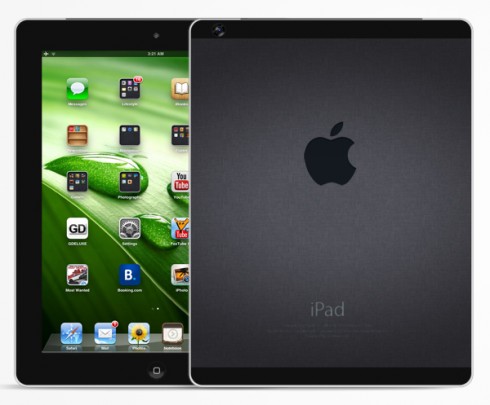
Reports are saying that Apple is accelerating the release cycle to respond to products like the Nexus 7 and the Surface Tablet, although the latter is not that much of a threat. The same rumors talk about an iPad Mini 2 with Retina Display, saying that device will have a 7.9 inch 2,048 x 1,536 display and an Apple A6X chip. The iPad 5 prototype shown here is a lighter iPad 4, with the same potent CPU, same screen, but different design, especially when it comes to bezels.
Rumors say that we should expect either iPad 5 or iPad Mini 2 to drop in March and I think a dual launch wouldn’t surprise anyone. We may even see a camera upgrade, especially the front one, since the back one is decent and I’m not sure Apple is ready to jump to the A7 CPU in this time frame… I’m also pretty sure that the iPad Mini 2 will have more RAM than the original Mini and if it keeps the excellent battery and maybe the price, it’s a brilliant product. Sadly, about the iPad 5 we don’t have much news, aside from the pics and prototypes.


28/01/2013 17:34 par slaytane
Designer Federico Ciccarese imagined one of the most original Apple concepts I’ve seen lately: the iSiri Smartwatch. This revolutionary device allows you to ask any question and get the answer right away, without having to remove the handset from your pocket. This Apple Smartwatch is a round piece of gadgetry that you can attach to your wrist like a watch.
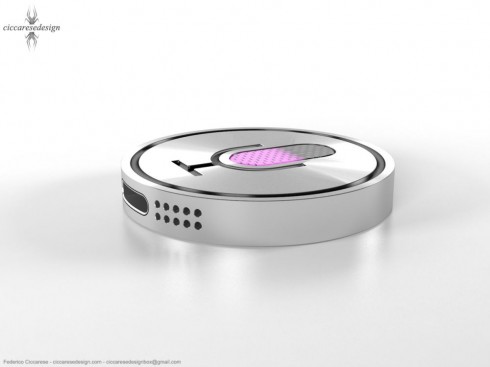
This wearable gizmo connects to the iPhone via Bluetooth and offers all the functions that the normal Siri does. You can ask what the weather will be like, dictate a Facebook status, make restaurant reservations, find out sport events scores and activate a call to someone, via the iPhone. At the bottom of the iSiri there’s a Lightning port and the two speakers from the iPhone 5. At the top there’s an audio jack and Earpods seem to be bundled with it.
This Apple watch has a metallic design, so it’s basically a bigger “button” and I mean button in the sense of the ones you wear on your clothes, but with the mauve Siri logo on it. It looks pretty fancy and I can see people wearing such a trendy accessory. Would you invest in such a product?


19/01/2013 19:24 par slaytane
Editor's Note (January 12, 2013): The following review has not yet been edited for grammatical errors. A final draft of the review will be released soon.
For the original German review, see here.
At IFA 2012 Samsung officially introduced the new ATIV family. In addition to the already reviewed ATIV Smart PC XE500T1C, the model with Microsoft's Windows RT had its debut. The Samsung ATIV Tab has a 10.1-inch PLS display with a resolution of 1366x768 pixels. The ATIV Tab features an ARM-based Qualcomm Snapdragon S4 Plus system-on-a-chip, running at 1.5 GHz, and an integrated Adreno 225 graphics chip. The hardware list continues with 2 GB RAM, 32 GB flash memory, a 5 MP camera, and the latest wireless technologies.
This sums up the currently available configurations. At the moment, our test model is the only one on sale. An internet connection is only possible via the dual-band WLAN module, because the tablet lacks UMTS and LTE chips. A couch surfer with the latest hardware that is different from the competition? You will find the answer to that and other questions in this review. At a suggested retail price of 750 Euros (~$980) we are excited about the performance of Samsung's ATIV Tab.
 |
 |
 |
The chassis of the Samsung ATIV Tab is made entirely of plastic. But it still makes a good impression. The tablet is well made, is pleasant to the touch, and overall seems of high quality. The only color option so far is „Metallic Silver“. The tablet is not actually made of metal - the light gray back only imitates an aluminum surface. The darker gray display frame fits well in the overall picture. A slight sparkle can be observed in direct sunlight. This color combination is available for the whole ATIV family, which currently includes the Samsung ATIV Smart PC and the ATIV S GT-I8750 Smartphone with 4.8-inch screen.
In addition to the workmanship, quality, and material choice, stability is also an essential factor. Even when using two hands and a lot of force, the tablet can only be twisted slightly. This produces no audible noises. Overall the tablet looks very solid. The covers for the ports are a very good idea. They completely stop any dirt from accumulating. These covers also facilitate quickly finding the needed ports.
The Samsung ATIV Tab measure 266x168x9 mm (WxDxH) and weighs 574 grams, without the additional keyboard dock. The Samsung ATIV Smart PC with the optional keyboard weighs 1.46 kg. The rival Asus Vivo Tab RT TF600 is slightly slimmer and lighter - it is 8.3 mm thick and weighs 525 grams. The Google Nexus 10 and the Apple iPad 4 are heavier, weighing 603 and 652 grams respectively.
The Samsung ATIV Tab is currently available with the only option of 32 GB memory. After the initial installation, in Windows Explorer we see only 14.1 GB free out of 23.6 GB (net capacity: 44%!). The missing 8.4 GB are not displayed in the Explorer (safety feature). Thanks to the integrated micro-SD card reader the internal memory can be increased. The tablet supports up to 64 GB, but no applications can be installed on the memory card.
A definite advantage in this category of tablets is the USB 2.0 port at the top of the device. This allows the use of USB flash drives and other peripherals. The Samsung Galaxy Tab 2 10.1 does not have this port. Our test unit also has a 3.5-mm stereo jack, a compact charging port, a micro-HDMI port (1080p), and a magnetic port for the keyboard docking. The two corresponding docking sockets are protected by two plastic covers.
 |
 |
The operating system is Microsoft's new Windows RT. Similar to the mobile operating systems of Apple and Google, only applications from the Windows Store can be installed. But the number of apps currently available is very limited. In addition to the standard apps, Samsung has also pre-installed ChatOn, box, doubletwist AirSync, and a photo editor. You can find more information on Windows RT in our previous reviews: Asus Vivo Tab RT TF600, Lenovo IdeaPad Yoga 11, and Microsoft Surface RT.


 |
The tablet features the latest wireless technologies. The WLAN connection is possible via the 802.11a/b/g/n standards over 2.4 or 5 GHz (Dual Band). Bluetooth 4.0 and NFC (Near Field Communication) allow the exchange of data between two devices. 3G or LTE modules are not available. The use of an USB dongle is also hardly possible in view of the Windows RT, since most of these require separate software.
S-GPS and Glonass provide the tablet with location-based services. There is a pre-installed maps application, but it does not feature any navigation functionality. We tested the positioning and a lock on was established in a couple of seconds. None of the usual navigation apps are available in the Windows Store. Some of these include Google Maps and the costly Navigon and TomTom.
For photos, the tablet has a main camera with 5 megapixels (2592x1944) and an LED flash. Contrary to the trend, only videos in 720p (1280x720, autofocus) can be recorded. The front camera of the ATIV Tab has a resolution of 1.2 megapixels (1280x720, 720p). Perfectly acceptable compared to other devices, if it was not for Windows RT.
The system offers almost no settings when taking photos and videos. The camera application only allows you to change the resolution and set a timer. No pinch-to-zoom and no video recording in Full HD (1080p, 1920x1080). This is very disappointing compared to Google's Android and Apple's iOS. Somewhat of a consolation is the „Camera Extra Settings“ app by Samsung, which can be downloaded for free. This extra does not come pre-installed. It allows additional options to be set (white balance, image effects, exposure, AF mode, flash).
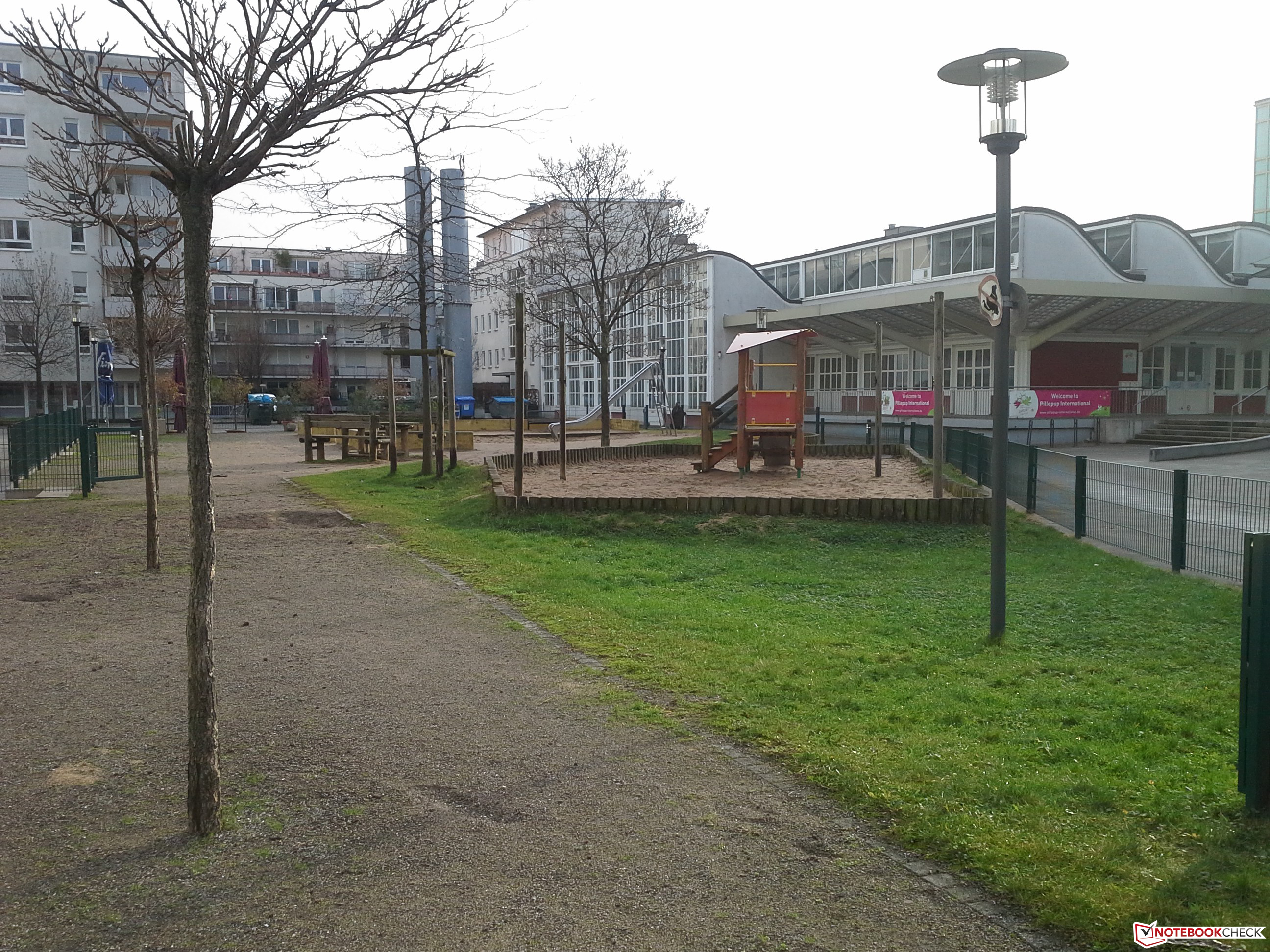
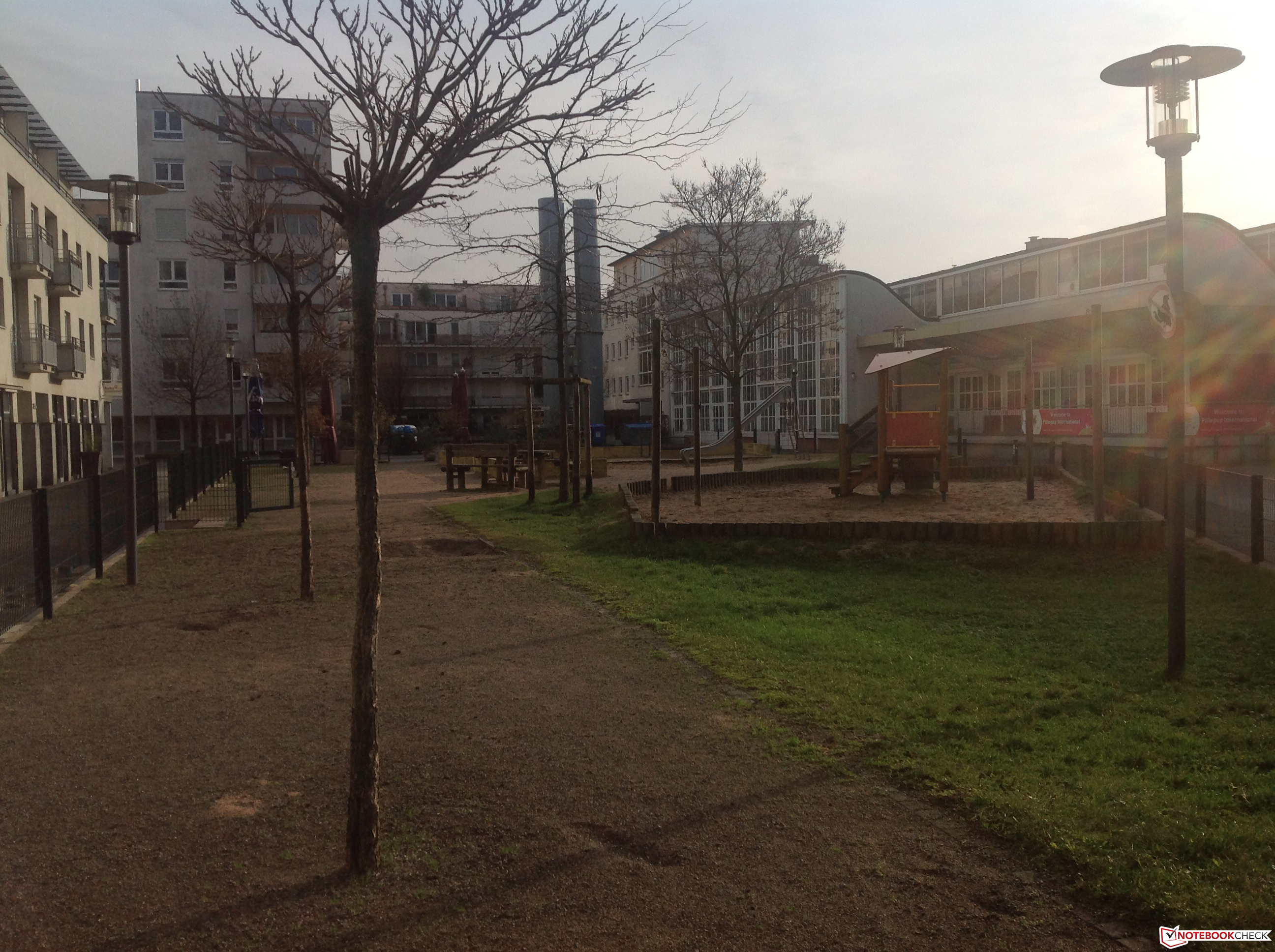
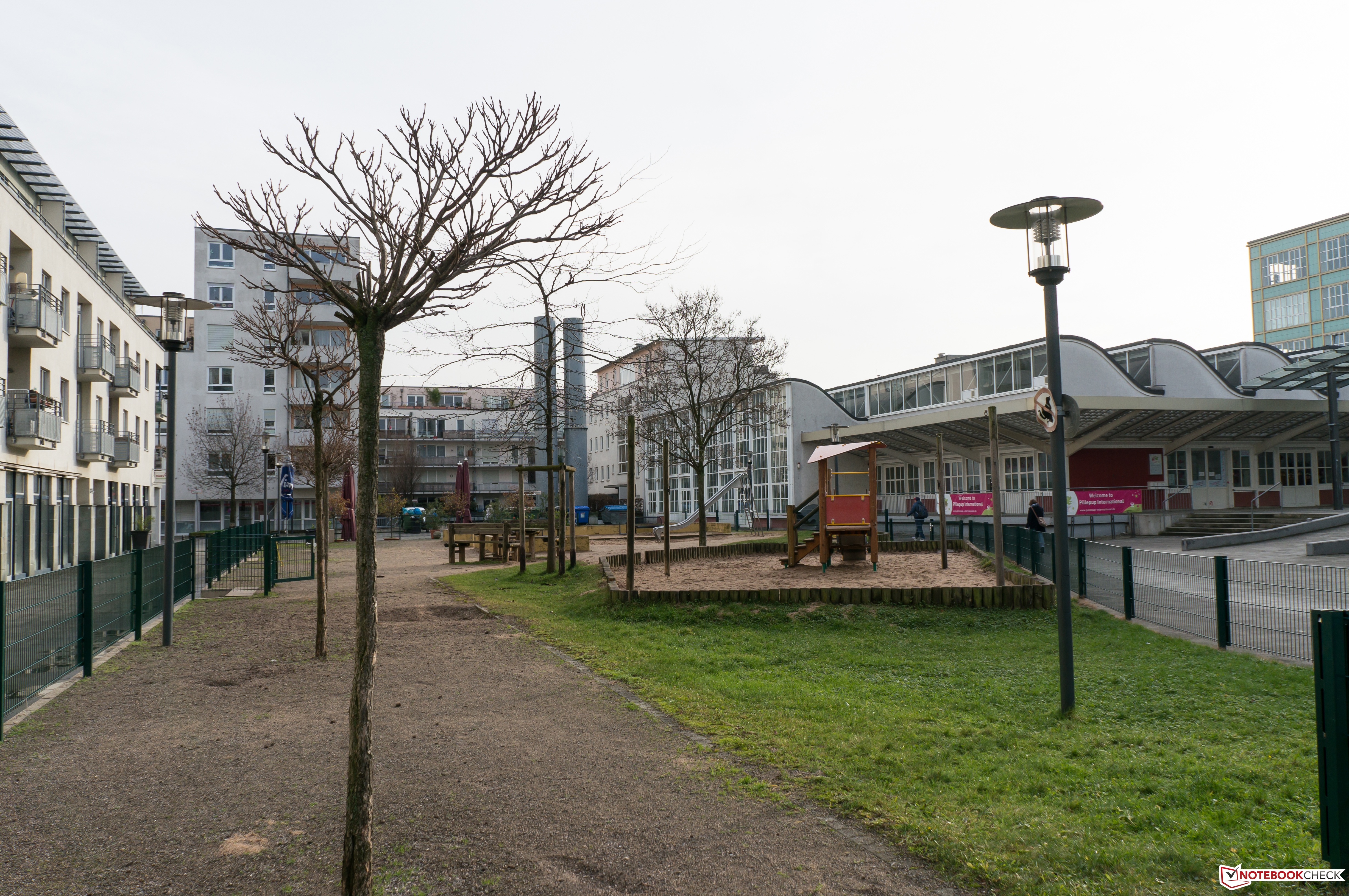
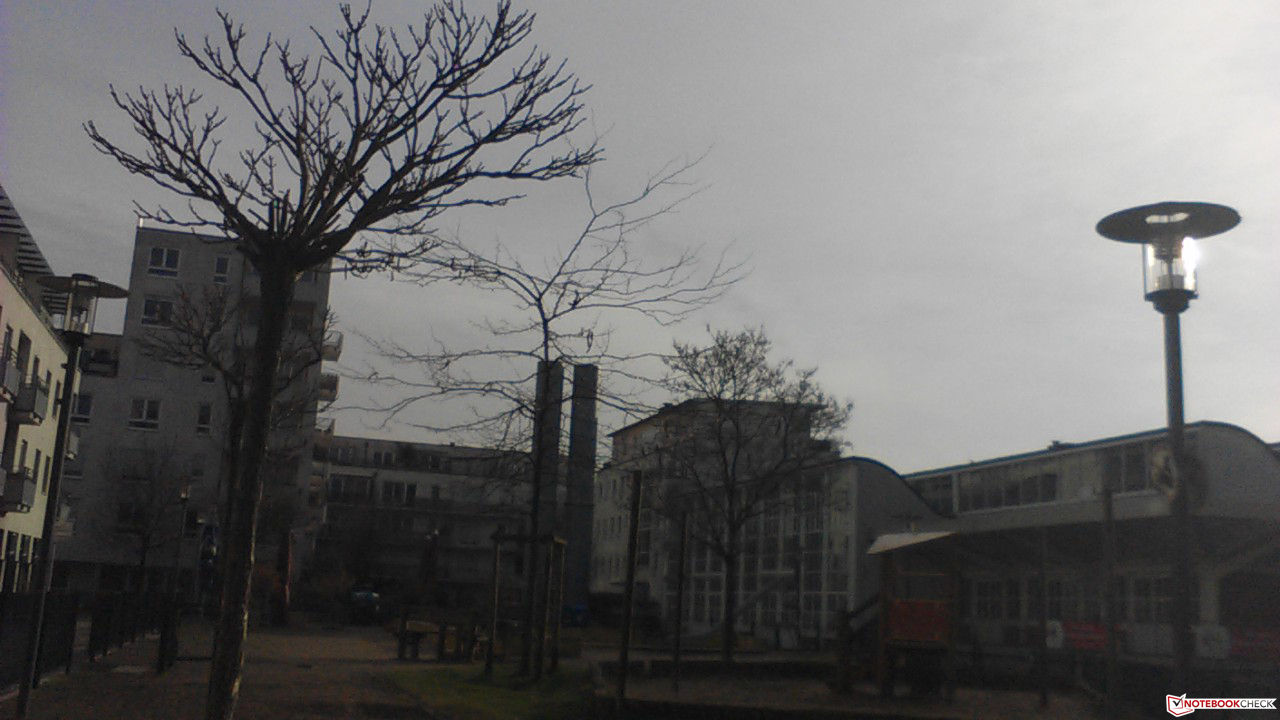
The camera performed very well in our field test. Compared to the Apple iPad 4 the images look natural and sharp. Light coming at an angle was also not a challenge. The front camera is designed for video chats. Its quality suffices for its application, but leaves room for improvement. The iPad 4 does not perform better in this test either. Overall a good basis, which is limited by the operating system. The extra software by Samsung is a must.
 |
 |
 |
 |
 |
 |
In addition to the tablet itself, Samsung has included only the absolute necessary accessories. Next to the device we find some printed documents and a 45 W adapter with cable, which is something we expect of a subnotebook, not a table. It is a modular USB adapter and it requires a micro-USB port. The USB 2.0 port on the tablet can be used only for data transfer or connecting peripherals. A carrying sleeve and other goodies must be purchased separately.
Samsung is holding back on optional accessories. Currently there are no products specifically for the ATIV Tab on the company's website. The keyboard dock is shown attached to the bottom side of the tablet via the dock connector. There is no detailed information about this accessory though.
Samsung delivers the tablet with a warranty period of 24 months. Additional accessories and the internal battery are covered only for 12 months.
The device is controlled via the capacitative touchscreen. Under Windows RT it can recognize up to five fingers simultaneously. Actions are registered quickly and the overall use of the screen is smooth. The optimized user interface of Windows RT also helps with usability.
Text input is done via the virtual keyboard, which pops up automatically. Only when using the normal desktop does it require a manual access via a small icon on the task bar. The layout leaves a good impression, although the Shift could have been a bit bigger. The keys shrink in portrait mode. With a bit of practice typing becomes quick and pleasant.
One criticism in portrait mode is the tablet's height. When typing, it must be held far down. But the center of gravity is above that point and thus the user has to hold the tablet tightly. Unfortunately the position of the "thumb typing" keyboard cannot be changed.


 |
The Samsung ATIV Tab has a glossy 10.1-inch display, which works at the Windows RT standard 1366x768 pixels in 16:9 format. It is based on the Samsung PLS technology with small LEDs. The Plane-to-Line Switching (PLS) is an advanced version of the popular IPS technology, but requires less power.
Samsung does not offer a higher resolution display for the ATIV Tab. The rivals Asus Transformer Pad Infinity TF700T, Google Nexus 10, and Apple's iPad 4 can display native 1920x1080 content without any problems. Another weakness of the display is the low pixel density of 155 DPI. Google's Nexus 10 has almost twice as many pixels (300 DPI) on the same area.
With the help of the tool Gossen Mavo Monitor we have tested the brightness of the LED display. The average value of the nine measurement points is 369 cd/m². Thus the tablet is on par with ATIV Smart PC and Microsoft Surface RT. The illumination variance is also very low. With a maximum difference of 24 cd/m² we determined a sound level of 90 percent distribution. The Asus Vivo Tab RT TF600 is a bit brighter, although the illumination is a little worse. The Apple iPad 4 with its 300 cd/m² is easily surpassed.
|
Information
Gossen Mavo-Monitor
Maximum: 382 cd/m²Average: 368.7 cd/m² Brightness Distribution: 90 % Center on Battery: 380 cd/m² Black: 0.46 cd/m² Contrast: 826:1 |
The other measurements also leave a good impression. The black level of 0.48 cd/m² is relatively low. In combination with the good illumination we determined a contrast ratio of 826:1. Overall the colors seem natural and consistent. Images look sharp for a display with 155 DPI. Samsung offers no information on the color fastness of the panel. Last but not least, we have to again mention the LED illumination. In dark surrounding, there are small bright patches on the right edge of the display. These can be especially disturbing when watching a movie.
 |
The glossy screen and the finger prints make outdoor use troublesome. But thanks to the high brightness and contrast, the tablet can be used in most situations. You might need to adjust your seating position in direct sunlight, because reflections cannot be avoided completely. A possible solution is a matte screen protector.
 |
Thanks to the PLS panel, the display content can easily be read even at very flat angles. Theoretically, up to 178 degrees should be possible. The reality is somewhere between 130 and 150 degrees. Watching a movie with several people is thus not a problem. The image on the left shows the good performance. The bright patches at the edges are caused only by the sensitive camera. In everyday use, the two lines are completely black.
 |
The heart of the Samsung ATIV Tab is a Qualcomm Snapdragon S4 Plus SoC, Typ APQ8060A. This system-on-a-chip has two cores, runs at 1.5 GHz, and is home to the Adreno 225 graphics chip. The Krait processor is manufactured in 28 nm technology. Despite the fewer cores compared to the Nvidia Tegra 3 SoC, the integrated solution can still perform on par. Our American colleagues at Notebookcheck.net have already reviewed the Lenovo IdeaTab S2110A with the Qualcomm chip and Google's Android.
Currently, there are no popular benchmarks in the Windows Store of Windows RT. Thus we have to resort to three browser benchmarks, in which the pre-installed Internet Explorer 10 by Microsoft must prove itself. The opponents in these tests are Google's Chrome and Apple's Safari. Subjectively, we have nothing to complain about. The system runs extremely smoothly and with low loading times.
In Browsermark 2.0 Samsung's ATIV Tab scored 1459 points in the overall rankings. The Asus Vivo Tab RT TF600 was 29% slower with 1043 points. The Google Nexus 10 and the Apple iPad 4 on the other hand were more than 50% faster. Interesting is the performance of the Samsung ATIV Smart PC with Windows 8 and Intel SoC. Scoring 2373 points, it is 63% quicker. This tablet was marginally slower than the iPad 4.
The second benchmark comes from Google. To nobody's surprise, the Google Nexus 10 took the first place in the Google V8. The comparison table also shows that Windows RT tablets with Internet Explorer 10 perform poorly. Our test unit scored 785 points. Apple's iPad 4 was twice as good with a score of 1661 points.
With 895.3 milliseconds, the Apple iPad 4 wins the last test. In the Java Script benchmark Sunspider 0.9.1 lower means better. Samsung's ATIV Tab is right behind Cupertino's tablet, scoring 997.3 milliseconds (9% difference). The Google Nexus 10 is the loser in this test (1345.7 milliseconds).
| Browsermark 2.0 | |
| Samsung ATIV Tab GT-P8510 |
|
| Asus Vivo Tab RT TF600 |
|
| Google Nexus 10 |
|
| Apple iPad 4 |
|
| Samsung ATIV Smart PC XE500T1C-A02DE |
|
| Google V8 Ver. 7 | |
| Google V8 Ver. 7 Score | |
| Samsung ATIV Tab GT-P8510 |
|
| Asus Vivo Tab RT TF600 |
|
| Microsoft Surface RT |
|
| Google Nexus 10 |
|
| Apple iPad 4 |
|
| Sunspider 0.9.1 | |
| Samsung ATIV Tab GT-P8510 |
|
| Asus Vivo Tab RT TF600 |
|
| Microsoft Surface RT |
|
| Google Nexus 10 |
|
| Apple iPad 4 |
|
| Legend | |
|
Samsung ATIV Tab GT-P8510
Qualcomm Snapdragon S4 Plus APQ8060A, Qualcomm Adreno 225, 32 GB SSD
Asus Vivo Tab RT TF600
NVIDIA Tegra 3, NVIDIA GeForce ULP (Tegra 3), 32 GB SSD
Microsoft Surface RT
NVIDIA Tegra 3, NVIDIA GeForce ULP (Tegra 3), 32 GB SSD
Google Nexus 10
Samsung Exynos 5250 Dual, ARM Mali-T604, 32 GB SSD
Apple iPad 4
Apple A6x, PowerVR SGX554MP4, 32 GB SSD
Samsung ATIV Smart PC XE500T1C-A02DE
Intel Atom Z2760, PowerVR SGX545, 64 GB SSD * ... smaller is better |
|
Cool minded. Although the cooling of the hardware is only passive, the external temperatures are all in the green. In idle, with a maximum of 33.3°C, the ATIV Tab remains cool to lukewarm depending on usage and ambient temperature.
Under load the temperatures rise slightly. The maximum of 37.1°C was measured in the middle of the back side. This is where the system-on-a-chip (SoC) by Qualcomm is located. Our test unit fared very well in comparison to its rivals. Most of the other tablets reach temperatures of around 40°C under load.
|
Max. Load
|
|
|